Requirements
Use this page to download Foundry OSD and prepare the admin workstation before creating deployment media.
Download Foundry OSD
Install the latest release that matches the workstation architecture.
| Architecture | Installer | Download |
|---|---|---|
| x64 | Foundry-win-x64.msi | Download x64 |
| ARM64 | Foundry-win-arm64.msi | Download ARM64 |
Use all releases when you need release notes, checksums, or older builds.
Use the MSI release build for normal deployment work. Build from source only when you are contributing to Foundry Project or validating local changes.
Workstation requirements
Prepare an admin workstation with:
- Windows 10 or Windows 11
- Local administrator rights
- Internet access
- Windows ADK 24H2 (
10.1.26100.x) - Windows PE add-on for the same ADK 24H2 release
Foundry OSD can help install, upgrade, or downgrade the ADK components when they are missing or incompatible.
Runtime dependencies
The MSI installer bootstraps the desktop runtime dependencies required by Foundry OSD:
- .NET Desktop Runtime
- Microsoft Edge WebView2 Runtime
- Microsoft Visual C++ runtime
ADK readiness
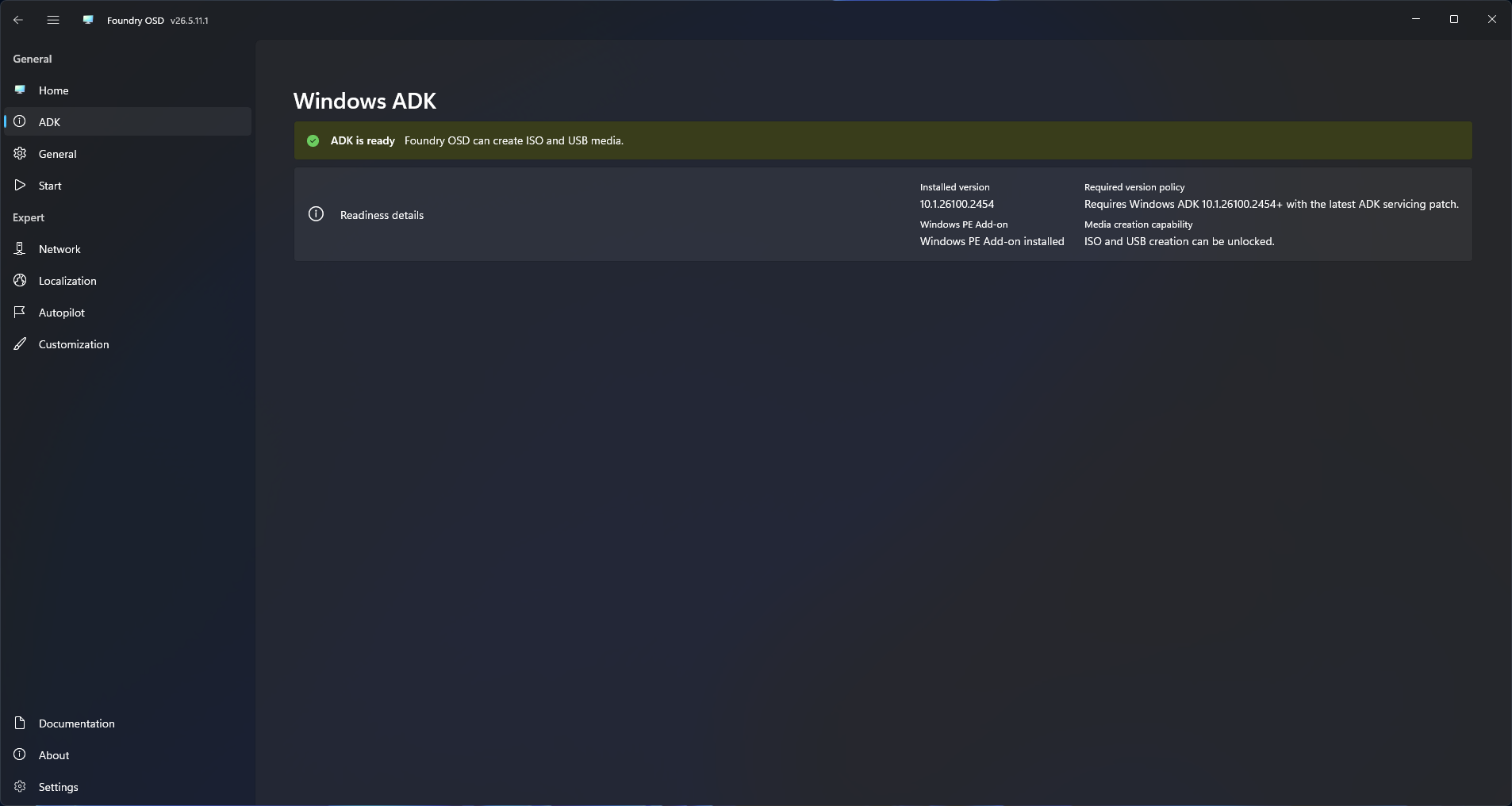
Foundry OSD checks the ADK state before media creation. If the required ADK components are missing or incompatible, the main window shows an action banner.
When the banner appears:
- Select
Install ADKwhen no compatible ADK is installed. - Select
Upgrade ADKwhen the installed ADK build is older than10.1.26100. - Select
Downgrade ADKwhen the installed ADK build is newer than10.1.26100. - Wait for verification to finish.
- Continue only after media creation actions are enabled.
Foundry OSD currently supports the Windows ADK 24H2 build line only. Newer ADK releases, including ADK 26H1 (10.1.28000.x), are not supported for Foundry OSD media creation.
Use the Windows ADK and Windows PE add-on from the same release. Foundry OSD expects Windows ADK 24H2 (10.1.26100.x) and the matching Windows PE add-on.
Deployment scope
The current deployment scope is centered on Windows 11:
- Windows 11
23H2 - Windows 11
24H2 - Windows 11
25H2 - x64 and ARM64 deployment media
WinPE driver injection in Foundry OSD currently exposes these media driver vendor options:
- Dell
- HP
Deployment-time driver pack choices are loaded later in Foundry Deploy from the current catalog.
What each requirement supports
| Requirement | Why it matters |
|---|---|
| Windows ADK and WinPE add-on | Required to create and customize WinPE-based media |
| Local administrator rights | Required for ADK management and USB provisioning |
| Internet access | Required for downloads, release assets, and catalog-backed workflows |
Autopilot requirements
Autopilot mode requirements depend on the selected workflow:
- JSON profile injection requires one or more offline Autopilot profile JSON files.
- Zero-touch hardware hash upload requires tenant permissions to create or manage the app registration used by generated media, grant Microsoft Graph consent, create a matching PFX certificate, and keep WinPE network access to Microsoft Entra and Microsoft Graph.
- Interactive hardware hash upload requires OOBE network access, an active Intune tenant and license, admin consent for the delegated Microsoft Graph permission
DeviceManagementServiceConfig.ReadWrite.All, a technician account with Intune Autopilot RBAC permissions, and Conditional Access policies that allow the device-code sign-in flow.
Foundry OSD provisions WinPE-SecureStartup by default with the other WinPE optional components. This applies even when Autopilot hardware hash upload is not enabled.
Read Autopilot Overview before creating Autopilot-enabled media.
Next step
Continue to Quick Start.