Quick Start
Use this guide for the shortest path from a prepared workstation to a first deployment.
Use expert mode only when the deployment requires predefined network, time zone, Autopilot, machine naming, or Windows OOBE behavior.
1. Install Foundry OSD
Install the latest MSI from Requirements.
Open Foundry OSD after installation.
2. Confirm ADK readiness
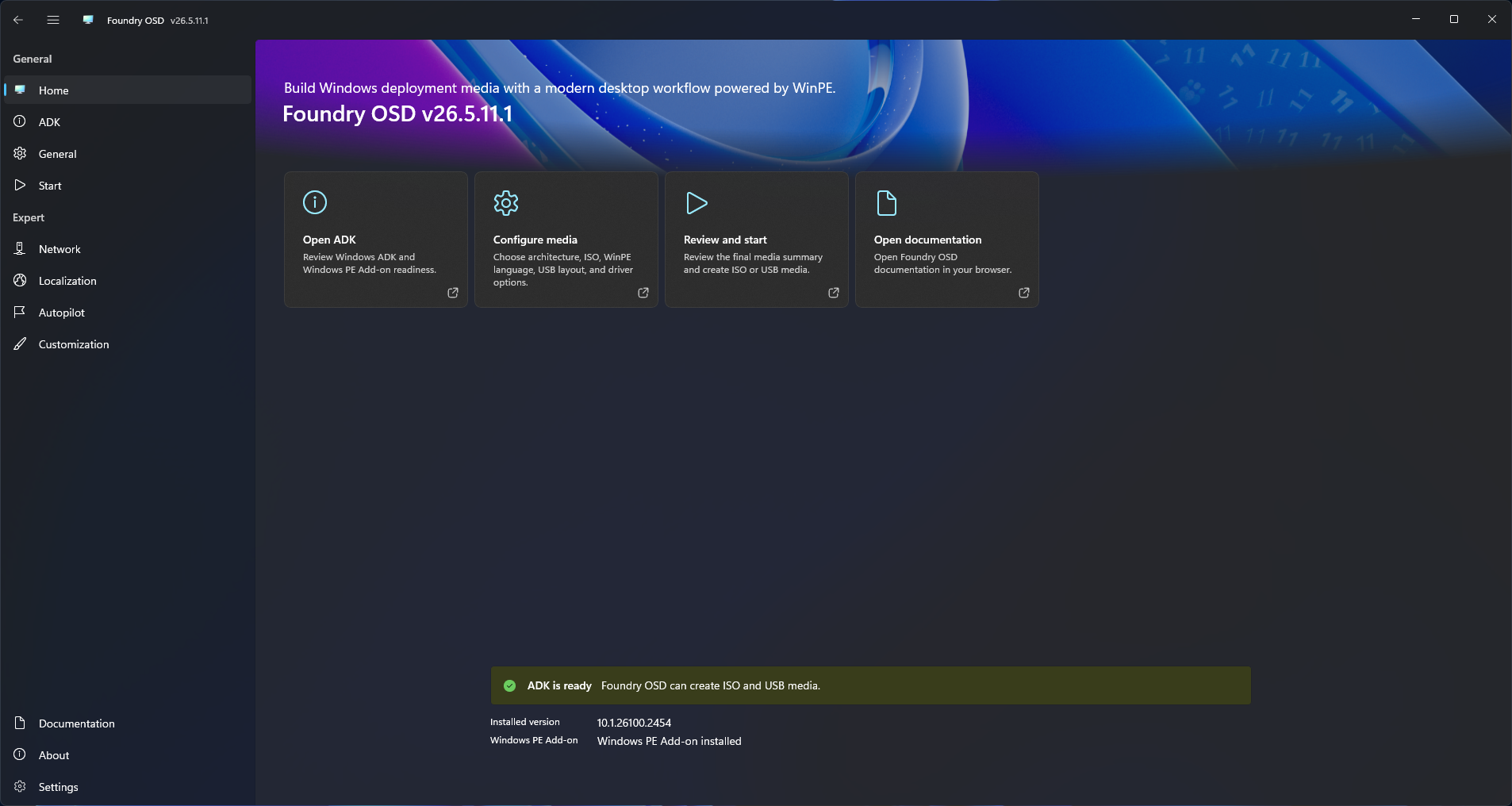
Check the main window before selecting media options.
If Foundry OSD shows an ADK banner:
- Select the action shown by Foundry OSD:
Install ADK,Upgrade ADK, orDowngrade ADK. - Wait for the verification step to finish.
- Continue after the media creation actions become available.
Foundry OSD supports the Windows ADK 24H2 build line (10.1.26100.x). If a newer unsupported ADK is installed, Foundry OSD downgrades it to the supported ADK 24H2 release.
3. Choose media settings
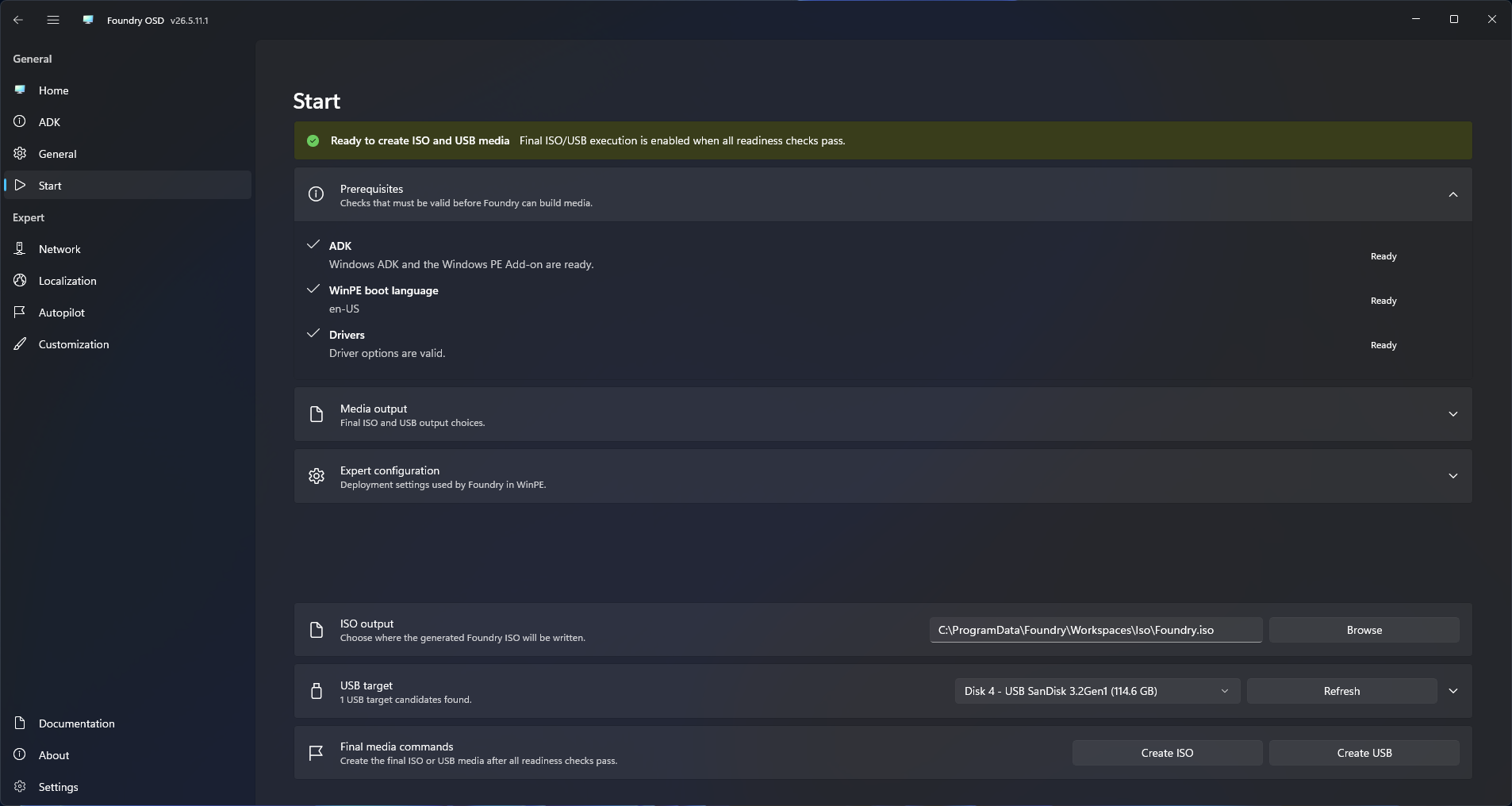
Select the standard media options:
- ISO output path, USB target disk, or both
- Target architecture
- WinPE language
- WinPE driver vendors to include
Use Media Creation when you need to compare ISO and USB behavior before choosing an output.
4. Build the media
Select the build action that matches the output you need.
| Output | Use it when |
|---|---|
| ISO | You need a reusable file for VM testing, remote mounting, or later distribution |
| USB | You need Foundry OSD to provision a bootable physical device directly |
USB creation erases and repartitions the selected target disk. Confirm the selected disk before starting.
5. Boot the target device
Boot the target device from the media.
The bootstrap starts the runtime sequence automatically:
- Foundry Connect
- Foundry Deploy
6. Validate networking
Foundry Connect checks whether the WinPE runtime network state is ready.
If networking is ready, allow Foundry Connect to continue. The bootstrap then opens Foundry Deploy. If networking is not ready, resolve the network state before deployment starts.
Read Network Readiness for the runtime behavior.
7. Run deployment
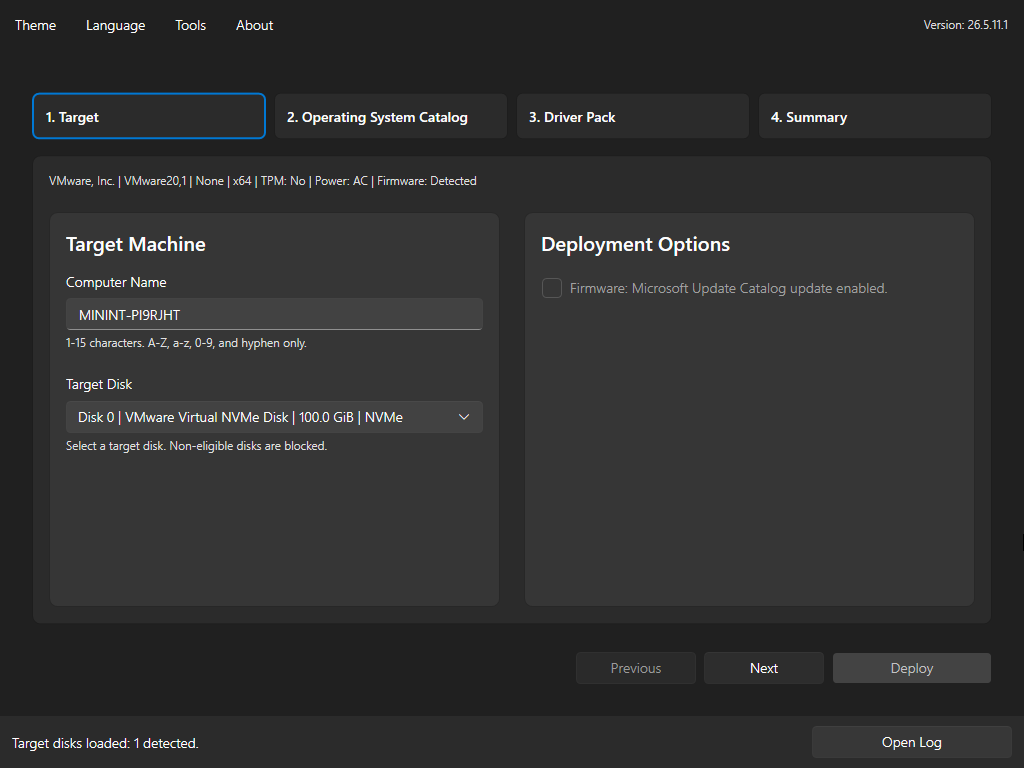
When Foundry Deploy opens, follow the wizard in order:
- Target
- Operating System Catalog
- Driver Pack
- Summary
The wizard enables forward movement only when the required selections for the current page are valid.
Next steps
- Open Standard Workflow for the normal operator path.
- Review the Expert Mode section when standard mode is not enough.
- Open Deployment Flow for the Foundry Deploy wizard sequence.